MyLinkLine Firmware Upgrade Instructions
Model FWT8848T
There are two versions of the firmware:
- To upgrade from firmware version EC25AFXGAR07A04M1G to firmware version "BETA220914", download and install the file "Upgrade_EC25AFXGAR07A04_01.006-R07A04_BETA220914_01.006.zip".
- To upgrade from firmware version EC25AFXGAR07A03M1G to firmware version EC25AFXGAR07A04M1G, download and install the file "EC25AFXGAR07A04M1G_01.006.01.006.zip".
The following instructions will enable you to update the firmware on your MyLinkLine device.
For the complete user guide, please see Quectel_EC2xEG9xEM05_DFOTA_User_Guide_V1.0.pdf. Section 3.1 on the instructions enables us to update the firmware via FTP:
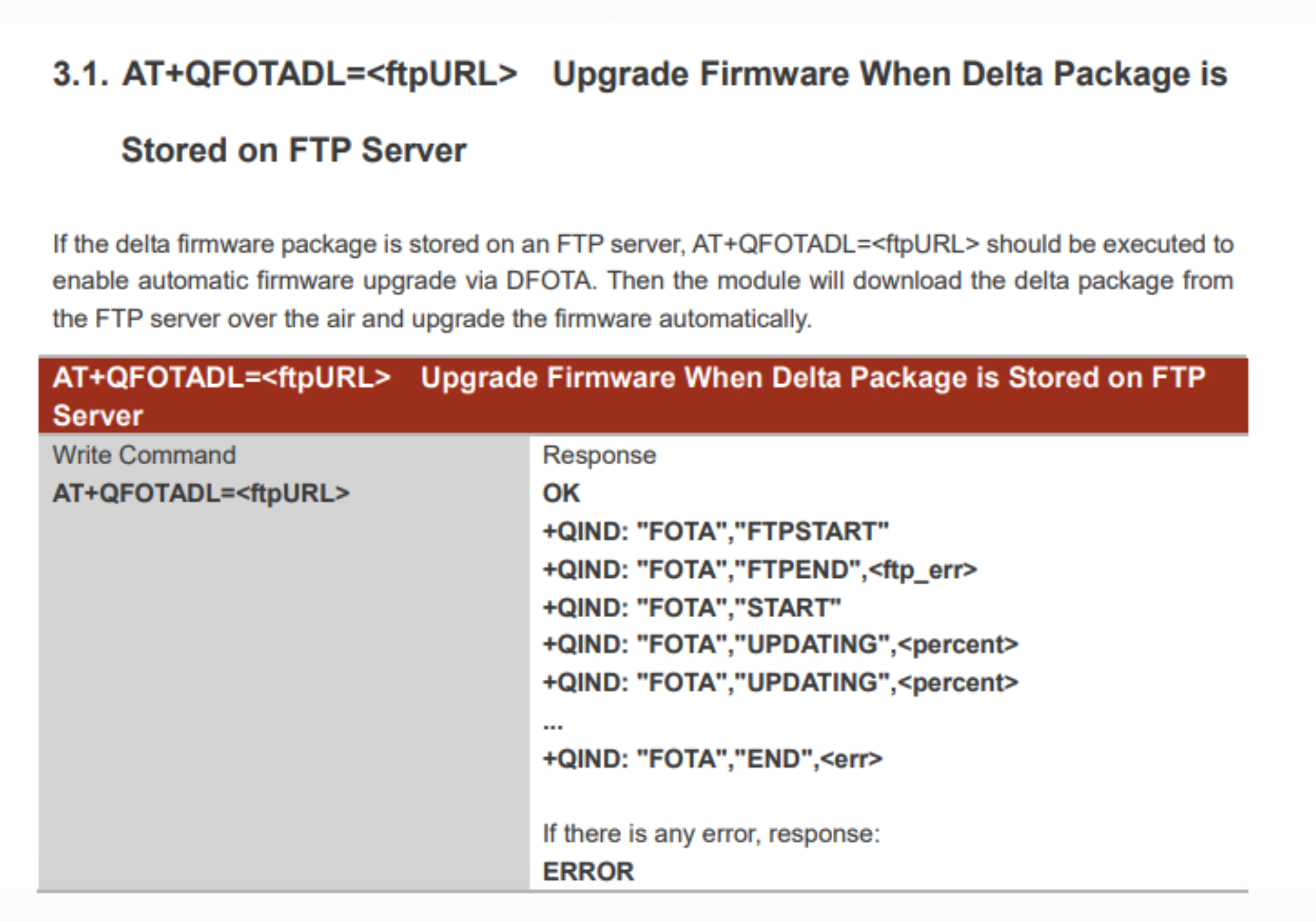
Please copy and paste the commands detailed here.
Step 1: To verify internet connectivity, you can run the following command to ping Google's DNS server:
AT+QPING=1,"8.8.8.8"
Step 2: The firmware file can be found on the FTP server at "ftp://ftp.mylinkline.com/Upgrade_EC25AFXGAR07A04_01.006-R07A04_BETA220914_01.006.zip" or "ftp://ftp.mylinkline.com/EC25AFXGAR07A04M1G_01.006.01.006.zip".
Execute the AT+QFOTADL command to enable automatic firmware upgrade via DFOTA. The module will start to download the delta package and upgrade firmware automatically.
| Command | Response |
|---|---|
| AT+QPING=1,"8.8.8.8" | OK +QPING: (1-16),(host),(1-255),(1-10) |
| AT+QFOTADL="ftp://anonymous:anonymous@ftp.mylinkline.com/Upgrade_EC25AFXGAR07A04_01.006-R07A04_BETA220914_01.006.zip" (or ftp://anonymous:anonymous@ftp.mylinkline.com/EC25AFXGAR07A04M1G_01.006.01.006.zip) | OK +QIND: "FOTA" "FTPSTART" //Starting download +QIND: "FOTA","FTPEND",0 //Finished download. |
The module will then reboot and the USB port will be re-initialized. If the current port is a USB port, the MCU should close and reopen it automatically.
| Command | Response |
|---|---|
| +QIND: "FOTA","START" //Start to upgrade the firmware. +QIND: "FOTA","UPDATING", 1 +QIND: "FOTA","UPDATING",2 ... +QIND: "FOTA", "UPDATING", 100 +QIND: "FOTA","END",0 //Finished upgrading the firmware. |